
Скачать TwGPT – расширение для взаимодействия в Twitter с поддержкой ИИ
Что такое TwGPT и почему это важно для современных пользователей Twitter
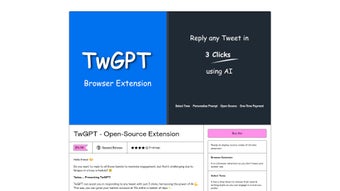
TwGPT — это открытое расширение для браузера, которое приносит мощь искусственного интеллекта прямо в вашу ленту Twitter. Предназначено для всех, кто хочет увеличить вовлечённость без траты часов на составление ответов, TwGPT предлагает мгновенные, контекстно‑зависимые предложения ответов всего в три клика. Используя API OpenAI, инструмент может генерировать ответы в разных тонах — профессиональном, остроумном, дружелюбном или даже саркастическом — чтобы вы могли без усилий соответствовать голосу бренда или личному стилю. Расширение построено на лицензии для одного пользователя, то есть вы платите один раз и сохраняете инструмент навсегда, без повторяющихся платежей и скрытых подписок. Хотя требуется действующий ключ API OpenAI, исходный код расширения полностью прозрачен, позволяя технически подкованным пользователям проверять или настраивать логику при желании. Основное обещание TwGPT — простота: оно устраняет умственную нагрузку при составлении ответов, помогая вам оставаться активным, отвечать быстрее и в конечном итоге увеличивать лайки, ретвиты и рост подписчиков. Будь вы менеджером социальных сетей, управляющим несколькими аккаунтами, создателем контента, стремящимся к более высоким показателям взаимодействия, или просто случайным пользователем, который любит остроумные реплики, TwGPT предоставляет безопасный, эффективный и доступный способ поддерживать живое и отзывчивое присутствие в Twitter.
Ключевые функции, выделяющие TwGPT
- AI‑Generated Reply Suggestions: Powered by OpenAI’s language models, TwGPT delivers context‑relevant replies in seconds.
- Multiple Writing Tones: Choose from professional, casual, humorous, or custom tones to align with your brand voice.
- One‑Click Activation: Three‑step workflow—highlight tweet, click the TwGPT icon, select tone, and paste the suggestion.
- Open‑Source Transparency: Full access to source code on GitHub for security audits or personal tweaks.
- Personalized Prompt Library: Save custom prompts for recurring scenarios like customer support or promotional replies.
- Single‑Payment Model: One-time fee grants lifelong access, no subscription traps.
- Cross‑Browser Compatibility: Works with Chrome, Edge, Firefox, and Chromium‑based browsers.
- Secure API Integration: Your OpenAI API key is stored locally; no data is sent to third‑party servers.
These features combine to create a tool that is not only powerful but also respectful of user privacy and budget constraints. The ability to switch tones on the fly means you can stay authentic whether you’re replying to a serious inquiry or joining a light‑hearted meme thread. Because the extension is open source, community contributions continuously improve its reliability and add new capabilities, such as batch reply generation or language‑specific suggestions. The single‑payment model eliminates the “feature creep” often seen in SaaS tools, giving you a predictable cost structure while still receiving regular updates via the extension store. Overall, TwGPT’s feature set directly addresses the pain points of Twitter engagement: time consumption, tone consistency, and the desire for smarter, AI‑assisted interactions.
Как установить TwGPT и запустить его без проблем
Пошаговое руководство по установке
Getting TwGPT up and running is straightforward, even for users with limited technical experience. Follow these steps to install the extension and start generating AI‑powered replies:
- Obtain an OpenAI API Key: Sign up at OpenAI and generate a personal API key. Keep this key handy; you’ll need it during the extension’s initial setup.
- Download the Extension: Visit the official TwGPT page on the Chrome Web Store (or the equivalent page for Edge/Firefox) and click “Add to Chrome.” The extension will appear in your browser’s toolbar.
- Configure the API Key: Click the TwGPT icon, navigate to Settings, and paste your OpenAI API key into the secure field. The key is stored locally and never transmitted elsewhere.
- Select Your Preferred Tone: In Settings, choose default tones or create custom prompt templates for recurring reply scenarios.
- Test the Workflow: Open Twitter, select a tweet, click the TwGPT button, pick a tone, and watch the AI generate a reply. Edit if needed, then post.
Supported Platforms and Browsers
TwGPT is a browser‑based extension, which means it runs on any operating system that supports modern browsers. Officially supported environments include:
- Windows 10/11: Chrome, Edge, Firefox (latest versions).
- macOS Monterey and later: Chrome, Safari (via third‑party extension wrappers), Firefox.
- Linux distributions: Chrome, Chromium, Firefox.
- Chromium‑based browsers on Android: Chrome, Edge (mobile extension support is experimental).
The extension leverages standard WebExtension APIs, ensuring consistent performance across platforms. Because the AI processing happens via OpenAI’s cloud service, the local hardware requirements are minimal—just an internet connection and a modern browser. Users should keep their browsers up to date to benefit from security patches and the latest WebExtension capabilities.
After installation, TwGPT automatically checks for updates each time you launch your browser. Updates are delivered seamlessly through the respective extension stores, ensuring you always have the latest features and security improvements without manual intervention.
Плюсы и минусы использования TwGPT
Преимущества, которые вы оцените
- Rapid, AI‑generated replies save time and increase tweet frequency.
- Multiple tone options keep your voice consistent across varied conversations.
- One‑time payment eliminates recurring subscription costs.
- Open‑source code promotes transparency and community‑driven enhancements.
- Secure handling of OpenAI API key protects your credentials.
- Cross‑browser support means you can use TwGPT on any primary desktop platform.
Potential Drawbacks to Consider
- Requires a valid OpenAI API key, which incurs usage costs based on token consumption.
- Limited to single‑user licensing; not suitable for team‑wide deployment without additional purchases.
- AI suggestions may occasionally miss nuanced context, requiring manual tweaking.
- Mobile browser support is still experimental and may not offer the full feature set.
Frequently Asked Questions (FAQ)
Do I need a paid OpenAI subscription to use TwGPT?
You need a valid OpenAI API key, which can be obtained with a free tier account. However, extensive usage may exceed free quotas, so you might incur charges based on the number of tokens processed.
Can I use TwGPT on multiple browsers at the same time?
Yes. The extension can be installed on Chrome, Edge, and Firefox simultaneously, each storing its own API key securely on the local device.
Is my data safe when TwGPT generates replies?
TwGPT sends only the tweet text and your selected prompt to OpenAI’s servers. Your API key is never transmitted to third‑party services, and all communication is encrypted via HTTPS.
Can I customize the AI prompts for my brand’s specific language?
Absolutely. TwGPT includes a prompt library where you can create, edit, and save custom prompts tailored to your brand’s style, product terminology, or customer‑service guidelines.
What happens if the extension stops working after a browser update?
The development team monitors browser updates and releases patches through the extension stores. If you encounter issues, check for updates or report the bug via the GitHub repository; a fix is typically rolled out within a few days.
Final Thoughts and How to Get Started
TwGPT bridges the gap between manual Twitter engagement and fully automated bots by delivering a balanced, human‑like reply experience powered by cutting‑edge AI. Its blend of speed, tone flexibility, and a transparent, one‑time payment model makes it an attractive tool for marketers, influencers, and everyday users who value authenticity without sacrificing efficiency. While the necessity of an OpenAI API key introduces a modest operational cost, the time saved and engagement boost typically outweigh the expense for most users.
Ready to supercharge your Twitter conversations? Download TwGPT now, plug in your OpenAI API key, and start generating witty, professional, or customized replies in seconds. Remember, a single click can transform a scrolling session into a meaningful interaction—let TwGPT do the heavy lifting while you focus on creating great content.
Price: 49.99



.png)



